DISCUSSION
For a successful migration from an old domain (ephams.com) to a new one (mynewdomain.io), maintaining URL structure is critical for both user experience and SEO. This post demonstrates how to implement redirects using Cloudflare Workers. The primary reason for choosing Workers over the simpler Page Rules, both available on Cloudflare’s free tier, is a specific limitation in Page Rules that prevents the preservation of the URL path. Cloudflare Workers provide the necessary flexibility to overcome this, ensuring a seamless and complete domain redirect.
What is in Cloudflare’s free subscription?
- 100,000 Worker requests per day (resets at UTC+0 timezone)
- 3 Page Rules per domain on the free plan
- Global CDN for fast response times worldwide
- SSL/TLS encryption included
- Analytics and monitoring built-in
SOLUTIONS
STEP 1
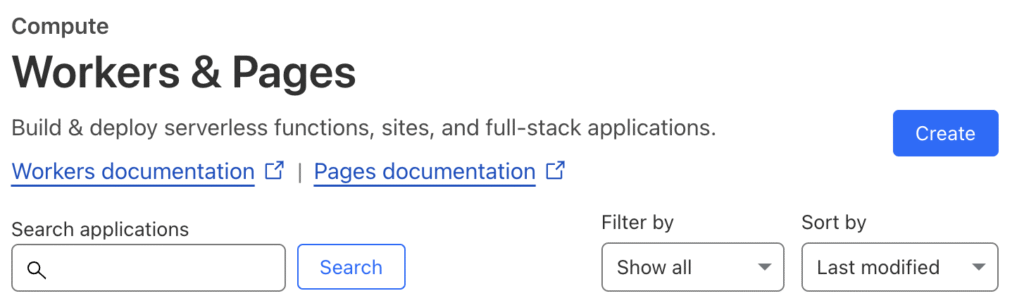
Go to Cloudflare – Compute (Workers) – Workers & Pages – click Create
STEP 2
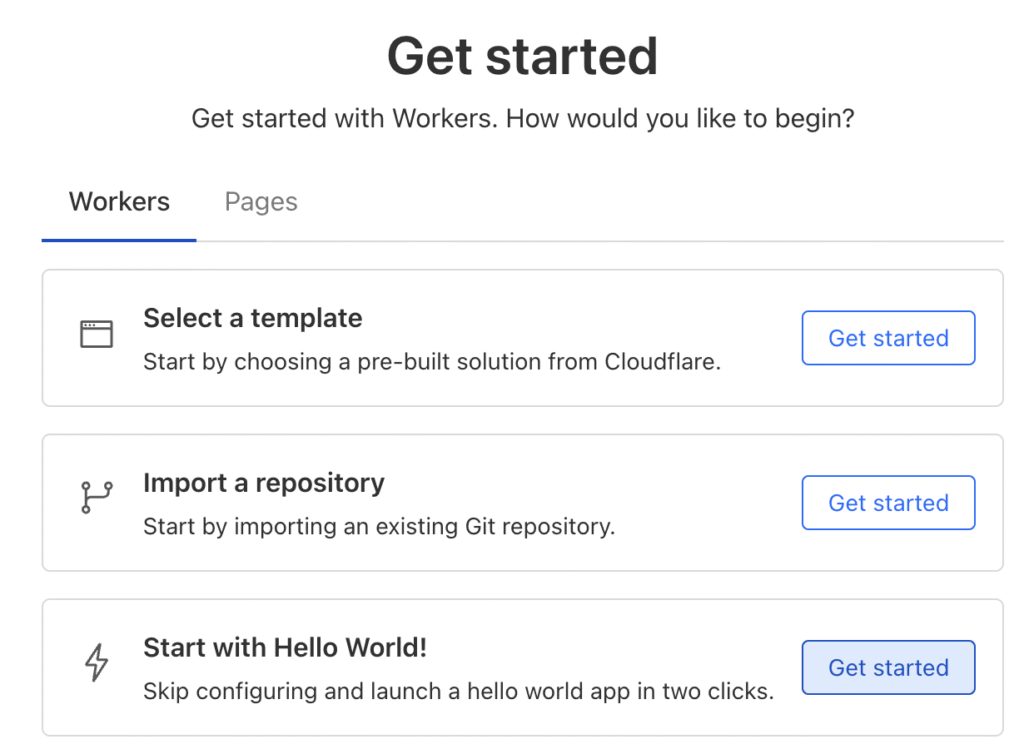
Click Get Started at Start with Hello World!
STEP 3
Give your worker a name such as redirection-worker and click Deploy
STEP 4
Click Edit Code and replace the sample code with the code below. Then, click Deploy
Please note that you need to change your oldDomain and newDomain values.
addEventListener('fetch', event => {
  event.respondWith(handleRequest(event.request))
})
async function handleRequest(request) {
  const url = new URL(request.url)
  const oldDomain = 'ephams.com'
  const newDomain = 'mynewdomain.io'

  // Check if request is coming from the old domain
  if (url.hostname === oldDomain || url.hostname === `www.${oldDomain}`) {
    // Construct the new URL
    const newUrl = `https://${newDomain}${url.pathname}${url.search}`

    // Return 301 permanent redirect
    return Response.redirect(newUrl, 301)
  }

  // If not from old domain, let the request pass through
  return fetch(request)
}
Let’s be a little more advance in javascript
You can handle a specific path name with the script below.
addEventListener('fetch', event => {
  event.respondWith(handleRequest(event.request))
})

async function handleRequest(request) {
  const url = new URL(request.url)
  const oldDomain = 'ephams.com'
  const newDomain = 'mynewdomain.io'

  if (url.hostname === oldDomain || url.hostname === `www.${oldDomain}`) {
    let newUrl = `https://${newDomain}`

    // Handle specific path redirections
    switch(url.pathname) {
      case '/old-blog':
        newUrl += '/blog'
        break
      case '/contact-us':
        newUrl += '/contact'
        break
      default:
        newUrl += url.pathname
    }

    // Preserve query parameters
    if (url.search) {
      newUrl += url.search
    }

    // Add redirect headers for SEO
    const response = Response.redirect(newUrl, 301)
    response.headers.set('Cache-Control', 'public, max-age=3600')

    return response
  }

  return fetch(request)
}
TESTING YOUR REDIRECTS
Last but not least, let’s test our worker.
Use curl to check HTTP status using curl in Linux or Mac.
curl -I https://ephams.com
curl -I https://www.ephams.com/some-page
Use Invoke-WebRequest in Windows PowerShell
Invoke-WebRequest -uri https://ephams.com
Invoke-WebRequest -uri https://www.ephams.com/some-page
No responses yet